Stop opening Word files one by one.
Cairn is your team’s handbook, kept on the shared drive you already have. Type a few words. Find the answer.
Windows, Mac and Linux · Free and open source
No server. No accounts. Works offline.
It works, until you need an answer in a hurry.
Most offices keep what they know as folders of Word files on a shared drive. Finding anything means opening file after file.
Somebody else has it open. Three copies say three different things. Someone renames a folder and every link to it breaks. The people who most need the answer are often the ones who find it hardest to get.
Cairn fixes that, on the drive you already have.
- Policy_final_v2_REAL.docx
- Copy of Copy of Onboarding.docx
- Expenses (Maria's edit).docxLocked by Priya
- Holiday rules OLD do not use.docx
- How to book the room - NEW.docx
| Topic | On a shared drive of Word files | With Cairn |
|---|---|---|
| Finding the answer | Open Word file after Word file and hope. | Type a few words. Pages come up, even if you misspell. |
| Two people, one page | “The file is locked for editing by another user.” | One person edits at a time. Everyone else keeps reading and sees who is editing. |
| Which copy is right? | Policy_final_v2_REAL.docx | One page, with every earlier version kept so you can go back. |
| Renaming a folder | Every link to it quietly breaks. | Links are updated for you, so nothing goes missing. |
| Deleted by accident | Gone, unless someone has a backup. | It waits in Recently deleted until you bring it back. |
Find the answer, not the file.
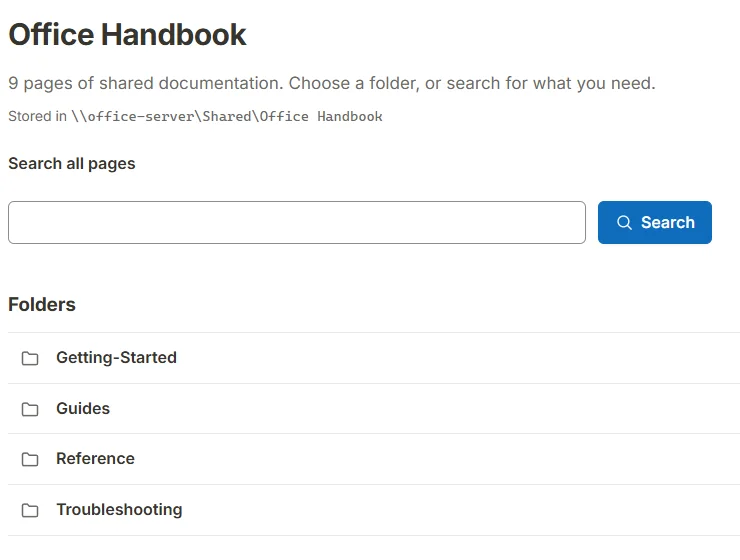
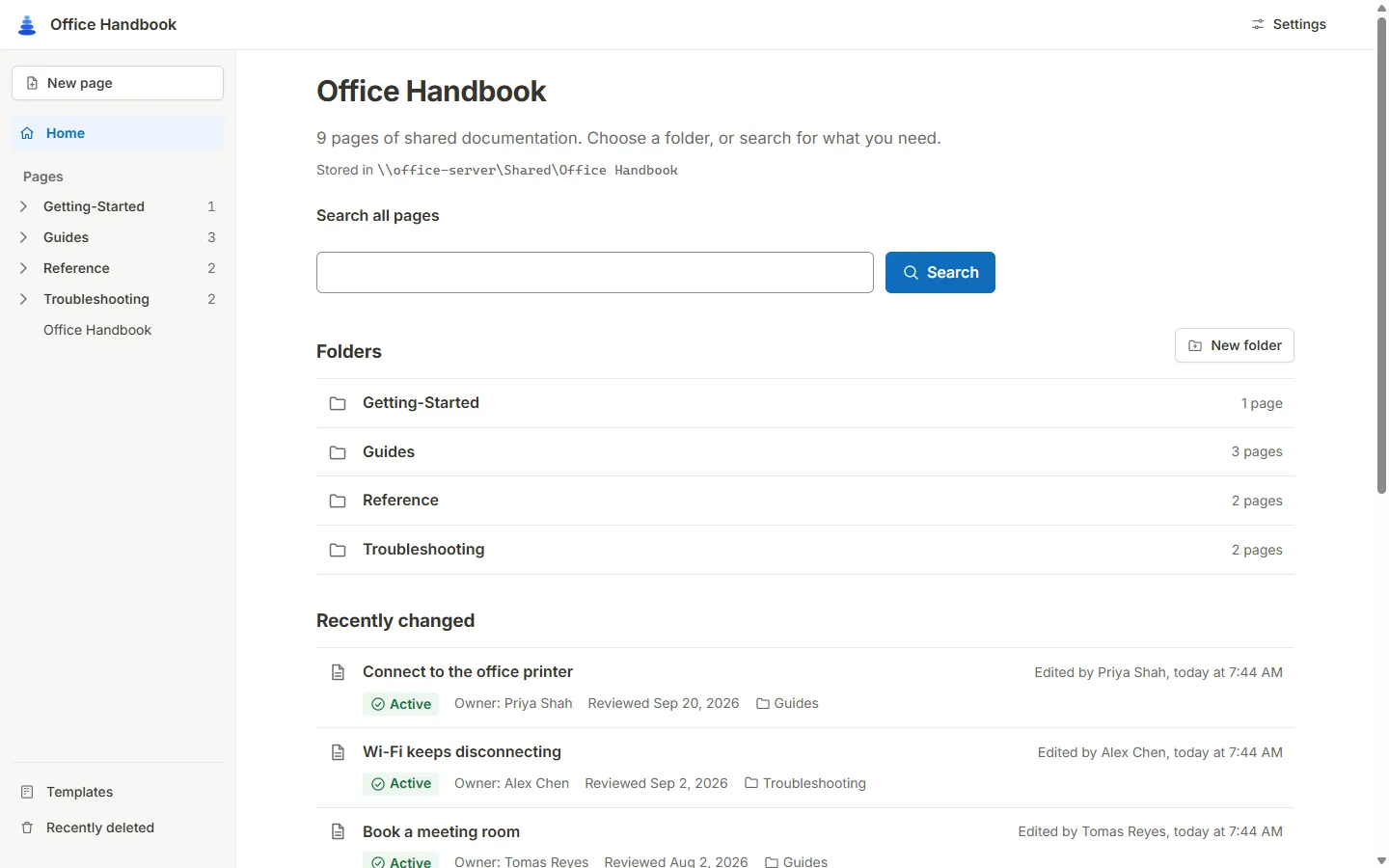
Type a few words and Cairn searches every page of your team’s documentation at once. Spelled it wrong? It asks “Did you mean…?”
Each page shows who owns it, whether it is current, and when it was last reviewed, so you know you can trust what you find.
Try: , , ,
2 pages found
Connect to the office printer
Choose the printer called Front Desk, then pick Add. If it asks for a code, use the one on the printer screen.
Guides · Owner: Priya Shah
Paper jams
Open the side door of the printer, pull the paper out gently in the direction of the arrows, then close the door.
Troubleshooting · Owner: Priya Shah
A small demo with made-up sample pages. In Cairn, search covers every page in your folder.
Swipe the picture sideways to see more.
Open this picture full size (opens in a new tab)Write a page without fear of breaking anything.
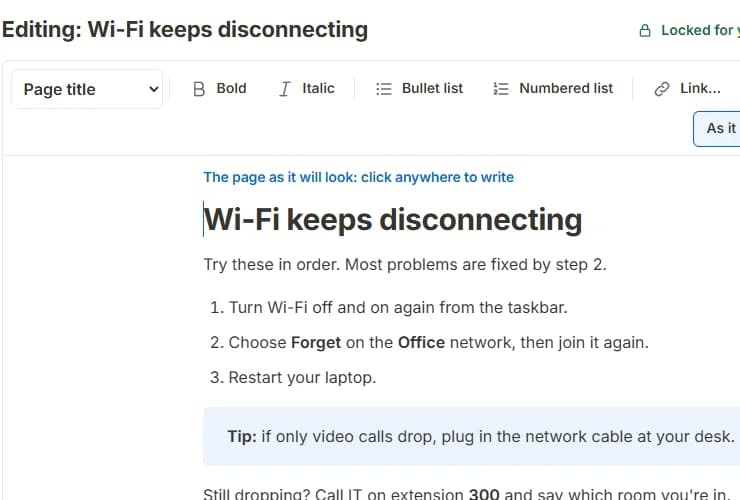
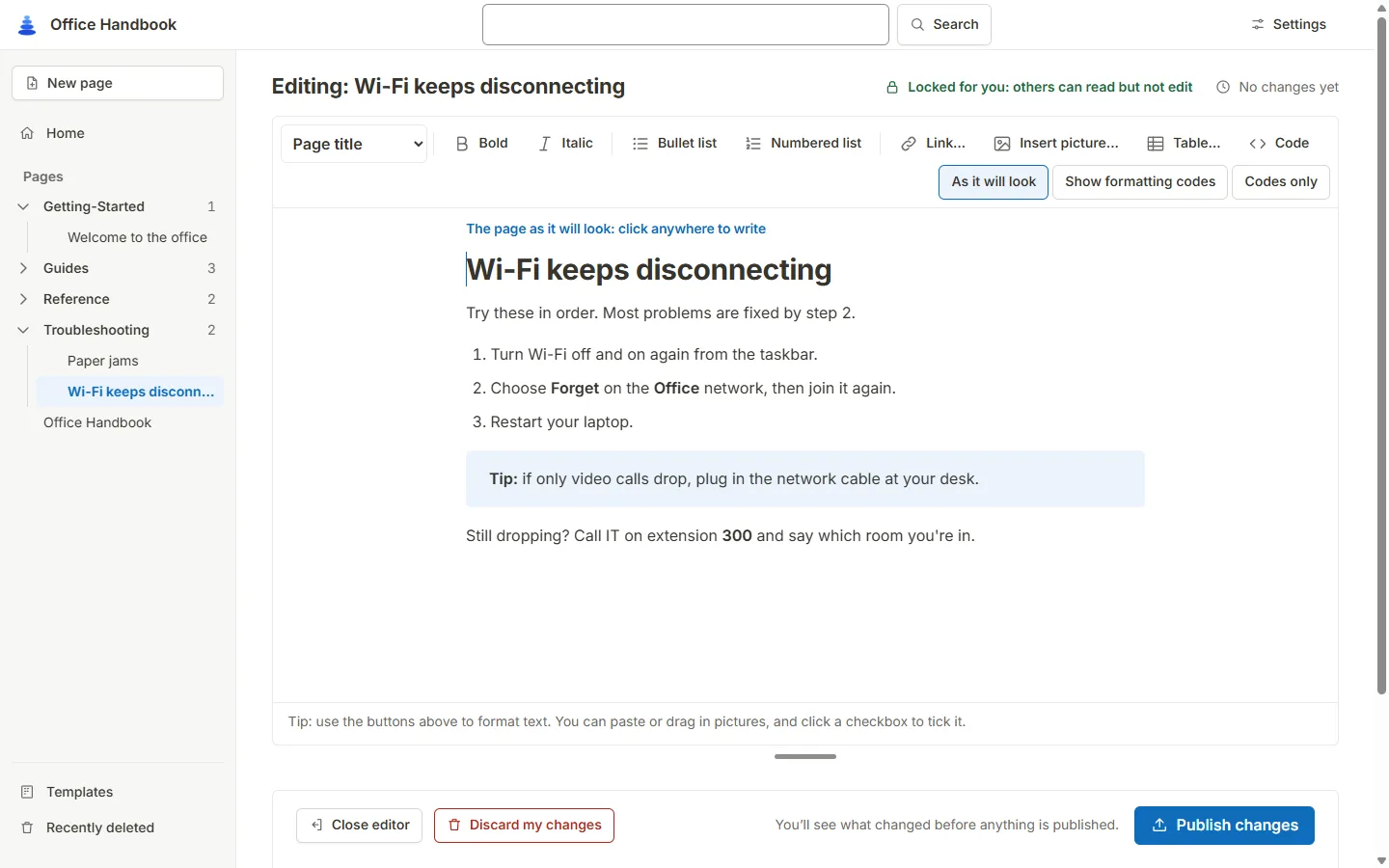
See the page as it will look. Click anywhere and type, like a word processor. There are no codes to learn.
Start from a template. Your team keeps its own, for the pages you write again and again.
Add pictures your way. Use the Insert picture button, paste one in, or drag it onto the page.
Check before you publish. Cairn shows you what changed before anything goes live.
Swipe the picture sideways to see more.
Open this picture full size (opens in a new tab)Everyone makes mistakes. Cairn plans for them.
Pick a worry. Here is what actually happens.
Go back to an earlier version.
Every page keeps its earlier versions. Pick one and restore it. You never have to be afraid of changing a page.
One person edits at a time.
Everyone else keeps reading, and sees who is editing. No more “the file is locked” with no hint about who has it.
It waits in Recently deleted.
Deleted pages and folders are kept, not thrown away, so a slip of the finger is easy to undo.
You see both versions, side by side.
If two sets of changes ever collide, Cairn puts them next to each other instead of overwriting either one.
Your pages stay yours.
Cairn keeps your pages as ordinary text files (called Markdown) in an ordinary folder on your drive. There is no database and no cloud account.
If you stop using Cairn one day, your documentation is still just a folder.
Save any page as a PDF or as Markdown, or a whole folder as a zip. Back it up the way you back up the rest of the drive.
\\office-server\Shared\Office Handbook
├─ Getting-Started
│  └─ welcome-to-the-office.md
├─ Guides
│  ├─ connect-to-the-office-printer.md
│  └─ book-a-meeting-room.md
├─ images
│  └─ printer-front.png
├─ _system          (earlier versions and edit notes)
└─ shared-docs.json
Up and running in about ten minutes.
Step 1: Download and install
The Windows installer installs just for you and never asks for an administrator password. It takes about a minute.
Step 2: Point Cairn at your shared folder
Choose “Create a new documentation folder”, or “Open a documentation folder we already use”. Pick a folder on your shared drive.
Step 3: Tell your team
Everyone installs Cairn and opens the same folder. From nothing to your first published page takes about ten minutes.
One thing to expect: Windows and Mac will show a caution the first time, because Cairn is free and does not use a paid signing certificate. It is a normal prompt, and we show exactly what to click.
Built so everyone on the team can read it.
Some of your colleagues will want bigger text. Some need strong contrast. Cairn has three text sizes and three looks (light, dark and high contrast), words on its buttons, and works from the keyboard alone.
Try it on this page
Everything on this site changes, just like Cairn does.
Text size: Normal. Colours: Normal.
The honest part: what Cairn does not do.
It is better to know before you start. None of these should surprise you later.
- It does not open Word files.
- There is no import for .docx. You start new pages in Cairn and bring over the ones people use most.
- Some folders are not safe to share.
- Editing locks work on normal disks and on SMB2 or SMB3 network shares. Folders kept in OneDrive, Dropbox or Google Drive, and some NAS boxes, are not safe for several editors. Cairn warns you when you open one.
- It only knows about edits made in Cairn.
- If someone changes a file in another program, Cairn cannot show them as the editor. It notices when you publish and shows both versions side by side instead of overwriting.
- There is no log-in.
- Who can see or change pages is decided by the shared folder’s own permissions, the same as for any file.
- Everyone runs their own copy.
- Cairn is a small program on each person’s computer, not a website you sign in to. A small window must stay open while you use it.
- A few small things.
- Pictures can be PNG, JPEG, WebP or GIF, not SVG. Table cells cannot be merged. There is no “who is reading this page” indicator. Mac and Linux are new in version 1.0.
Approving this for your office? Read the page for IT and managers.
Ready to try it? It takes about ten minutes.
Install Cairn, point it at a folder on your shared drive, and write your first page. Nothing about your current files has to change.
Windows, Mac and Linux · Free and open source
All downloads for version 1.0.0
Windows
- Installer (recommended)cairn-1.0.0-setup.exe · 6.1 MB
- Zip, no installercairn-1.0.0-windows-x64.zip · 5.5 MB
Mac
- Zip for Apple silicon and Intelcairn-1.0.0-macos-universal.zip · 9.1 MB
Linux
- AppImage (recommended)cairn-1.0.0-linux-x86_64.AppImage · 5.5 MB
- Tar.gz archivecairn-1.0.0-linux-x86_64.tar.gz · 6 MB